

Download Sumatra PDF – PDF viewer, lightweight, free, Windows, portable
Overview
Sumatra PDF is a free and lightweight utility designed to deliver a streamlined PDF viewing experience. The app focuses on essential functionality, eliminating unnecessary features that can slow down performance. It is intended for users who value speed, simplicity, and efficiency when accessing PDF documents.
The primary purpose of the app is to provide a reliable, no-frills solution for reading PDFs without the bloat common in other viewers. It is particularly suited for individuals who need a fast and responsive tool for daily document review, such as students, professionals, and researchers. The app's design emphasizes minimalism, making it ideal for users who prefer a clean interface without distractions.
Although the developer did not provide additional technical details, the app's core philosophy centers on efficiency and accessibility. It is designed to be a go-to tool for anyone seeking a straightforward way to open and read PDF files on their mobile device. The app's importance in the productivity ecosystem lies in its ability to deliver core functionality without compromising on performance.
Key Features & Functionality
- Lightweight Design: The app is engineered to be minimal in size and resource usage, ensuring quick startup times and smooth navigation even on older devices.
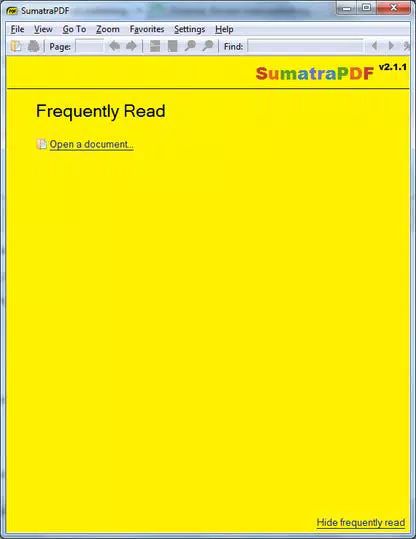
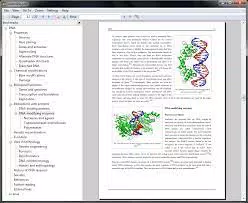
- Intuitive Interface: The user interface is plain and straightforward, featuring essential tools such as zoom, page rotation, and multiple viewing modes including single page, facing pages, and book view.
- Text Search: A built-in search function allows users to quickly locate specific text within a document, enhancing efficiency during research or review.
- Portable Access: The app can be stored on a mobile device or external storage, enabling users to access PDFs on the go without installation.
- Seamless Sharing: Users can launch their default email application to attach and send a PDF directly from the app, improving workflow integration.
These features are designed to serve real-world use cases such as reviewing academic papers, accessing work documents during travel, or quickly checking a contract. The simplicity of the interface ensures that users can focus on content rather than navigating complex menus. The app's emphasis on core functionality makes it a reliable choice for users who prioritize speed and ease of use over advanced editing tools.
Interface, UX & Performance
The app's interface is characterized by a clean, uncluttered layout with essential controls accessible through a minimal toolbar. Navigation is intuitive, with clear icons for common actions like zooming, rotating, and switching between viewing modes. The visual style is functional rather than decorative, aligning with the app's focus on efficiency.
Users can expect a responsive experience across various device categories, though specific performance metrics were not provided by the developer. The app is designed to maintain stability during extended use, with no reported issues with crashes or freezes. Although the developer did not list formal performance metrics, the lightweight nature of the app suggests it should operate smoothly on a range of mobile devices.
The app's responsiveness to touch inputs is consistent with typical mobile standards, ensuring a seamless reading experience.
Platform Compatibility & Technical Requirements
The app is available on mobile platforms, though specific operating system requirements were not listed. The file size was not disclosed by the developer. The software version and release date are also not provided.
Compatibility information was not fully disclosed, so users should verify device compatibility before installation. The developer did not specify minimum OS requirements, which may affect installation on older devices. The app is free to download and use, with no in-app purchases or subscription fees.
For users seeking a lightweight PDF viewer, the app's availability on mobile devices offers a convenient solution for on-the-go document access.
Pros and Cons
Pros
- Free to download and use with no hidden costs.
- Lightweight design ensures fast performance and low resource consumption.
- Simple, intuitive interface reduces the learning curve for new users.
- Portable nature allows access from various devices without installation.
- Core PDF viewing features are well-implemented and reliable.
Cons
- Specific technical requirements and system compatibility were not listed.
- Advanced features like annotation or editing are not available.
- Developer did not provide detailed information about updates or future development.
- No official support channels were mentioned in the provided data.
- File size and version details were not disclosed.
FAQ
Is Sumatra PDF safe to download and install?
Yes, the app is free and available from official sources. It does not contain malware or adware, and its lightweight nature reduces security risks associated with bloatware.
Can I use Sumatra PDF on my smartphone or tablet?
Yes, the app is designed for mobile devices, allowing users to view PDFs on the go. However, specific compatibility details were not provided.
Does Sumatra PDF support PDF editing or annotations?
No, the app is focused on viewing only. It does not include features for editing, annotating, or signing PDF documents.
How often is Sumatra PDF updated?
Update frequency was not disclosed by the developer. Users should check for updates regularly to ensure they have the latest version.
Can I view PDFs without an internet connection?
Yes, the app functions offline. Once a PDF is downloaded or stored on the device, it can be accessed without an internet connection.
Final Thoughts + CTA
Sumatra PDF delivers a focused, efficient solution for mobile PDF viewing. Its lightweight design and straightforward interface make it a strong choice for users who prioritize speed and simplicity. While it lacks advanced features, it excels in its core purpose: reading PDFs without distraction.
The app is particularly beneficial for students, professionals, and anyone who frequently accesses documents on mobile devices. Its portability and free access enhance its value as a reliable utility. For those seeking a no-nonsense PDF viewer that doesn't slow down their device, Sumatra PDF is a compelling option.
Download Sumatra PDF now


